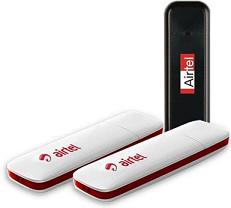
Showing posts with label Airtel. Show all posts

Wednesday, April 30, 2014

Airtel 3G Free VPN Trick Working 2014 Successfully

Leave a Comment


Features:-

  • TCP VPN
  • High Speed
  • APN- airtelgprs.com
  • Work At Zero Balance.
  •  
How To Use VPN ? 
  • Always Open VPN With Run As Administrator
  • And Always Check After Connect VPN Your Ip Address [out of country] http://whatismyipaddress.com/
  • U Have Any Problem With Speed you Can Change Http-Proxy
  • U Have Disconnect Problem So U Need Disconnect Your Modem And VPN And Connect Again And Next Time You Face No Disconnect

In Case VPN Not Work For You. So Please Check Password From www.vpnbook.com And Change Password.

Read More...

Monday, December 30, 2013

Airtel Free 3G GPRS Proxy Trick December 2013

Leave a Comment

Welcome to mytricksweb today we r back with new Airtel free gprs Trick. This trick is based on the real host. 

Follow Below Instructions:- 

 Proxy:- 85.17.141.35

 Port:- 80

 Apn:- airtelgprs.com

 Homepage:-  
124.153.106.131 

OR 
69.64.78.198 

OR 
10.5.45.107 

OR
202.58.121.201 

OR
 122.170.122.191

 OR
 125.21.241.7

Note:- 
Now Save The Settings, And Restart Your Mobile Phone. 

Use This Trick @ Low Balance.
Read More...

Airtel Unlimited Free 3G GPRS Real Host December 2013

Leave a Comment


Welcome to mytricksweb today we r back with new Airtel free 3g gprs Trick.
This trick is based on the real host.

JUST FOLLOW BELOW SIMPLE STEPS:

 Make "Mobile Office" As Default Setting In Your Mobile 
 Download UCWEB Handler From Here  
 Open UCWEB Handler
 Make Changes In Your 'Real Host' As Given Below,

live.airtelworl­d.com

or
airtellive.com

or
103.15.227.45

Now Save And Enjoy..
Read More...

Tuesday, September 24, 2013

Airtel 3G Front Query Trick For Opera Handler September 2013

Leave a Comment
Airtel 3G Front Query Trick For Opera Handler


Hello Frends Today MyTricksWeb.com back with new airtel 3g opera handler trick for android or java mobile.


Features Of this trick


  • Supports Hi Speed downloading with Front Query 
  • Can be used with default Apn : airtelgprs.com 
  • Can be use at Zero balance 
  • HTTP and HTTPS Protocol supported 
  • Tested in Up East(Confirmed)

how to configure in Operamini

First of all Create new profile with the following settings :

Apn: airtelgprs.com
Proxy IP: 80.239.243.210
Port : 80
After That download Opera for Android or java

Download OperaMini For Android and Java
After installing operamini hui put the following settings in it..

Front Query :
203.115.112.5/cgi-bin/nph-blur.cgi/00/http/

Select Proxy
Type as
 REAL HOST
Proxy Server : v.airtellive.com:80

Just save the settings and enjoy the free world of Airtel 3G again
Read More...

Airtel Free Internet Offer Working September 2013

Leave a Comment
Hi frends Today we are back with airtel free internet trick working on september 2013.This trick is based on airtel's official offer. It works in all over India. Actually It was officially Sponsord By google for airtel users.so hurry! follow below steps to configure.


airtel mytricksweb

Steps To Activate This Trick:

1.Gmail account 
2.Send "FREE" to 54321(toll free)
After completed You will recieve a conformation sms on your mobile.

Then You have to go that link by using Mobile Office Settings or use APN: airtelgprs.com on your mobile. 

After entering that website click on "ENTER FREE ZONE"

and login with ur gmail account That's IT.
Read More...

Monday, August 12, 2013

New Airtel 3G Front Query Trick Working September 2013

1 comment
Hi Frendz.. I am back today with a new working airtel front query trick for both 2G and 3G Network.
This trick works both in android and Java Mobiles with a Opera Handler Application.This tricks works in all over india.lets make a settings for your mobile by following below steps.


Features of this trick:
  • working @ Rs.0 Balance
  • high speed browsing and dloading
  • http and https sites supported
  • youtube streaming supported (for android)
  • based on front query
  • No disconnection problem
  • Working on both 2G and 3G handsets

How to configure this trick:

create a new config on your mobile like below step

APN : airtelgprs.com
Proxy : 80.239.243.210
Port : 80


After Creating this settings download a opera handler for your mobile and install it
then open opera handler on your installed mobile and put the below front query in that opera handler

 Download Opera Handler For Android Here : click here

front query :  203.115.112.5/~tool/nph-tool.cgi/00/http/

then select proxy type as real host

Put the below proxy server in real host

Real host : v.airtellive.com:80

That's It. Enjoy this free front query trick on your opera handler...
Plz Share this if u enjoy this post.
Read More...

Saturday, August 10, 2013

Easy Method To Unlock AIRTEL HUAWEI E1731 3G MODEM

Leave a Comment


News About How To Unlock Airtel Huawei E1731 USB Modem:


Follow The Below Steps To Unlock Your MODEM:

1.First Download UNIVERSAL MASTER CODE Generator From Here

2.After Downloaded Install This Software

3.Now Enter Your IMEI No. On The Software To Generate Your UNLOCK Code and Flash Code.

4.Now Insert Any SIM On Your USB Modem And Wait For 1 Min.

5.Now Install Dashboard Provided In Your USB Modem.and OPEN That.


6.After Opening It Will Ask To Enter UNLOCK Code Then Enter Your Generated Unlock Code On IT. That's IT.

You Have Successfully Unlocked Your Modem Now...

Read More...

Sunday, August 4, 2013

Airtel New 3G Proxy Trick Working August 2013

Leave a Comment
Hello Friends..Here I Am Back With New Airtel 3G Proxy Trick. Working Both In 2G And 3G Mode.This Trick Is Based On Proxy With High 3G Speed. This Trick Works Commonly In Andhra Pradseh. So Users Lets Setup This Proxy By Following Below Steps...


Features Of This Trick:
  • No Disconnection Problem
  • High Speed Internet On 3G Mode
  • Works Both In Mobile And PC
  • Works @ rs.0 Balance
  • http And https sites Supported
  • Youtube streaming supported


How To Config This Trick:

Create A New Settings Config:


Name : www.mytricksweb.com
APN : airtelgprs.com
Proxy : 212.21.45.145 (or) 78.96.214.31
Port : 80
HP : 203.115.112.29 (or) junglee.com

That's It Now You Have Successfuly Set This Proxy Enjoy...!


    Read More...

    Saturday, July 13, 2013

    How To Use Airtel Freezone Services On PC july 2013

    Leave a Comment
    All You Know That Airtel Has Given Freezone Offer To Use Google services Like GMAIL, Google Search, etc.,for Mobile But This Freezone services has Been Tweaked by tricksweb To Work On PC.
    So Lets Configure Yourself By Following Below Steps.


    How To Use This On PC:

    For Mozilla Firefox Users Need To Add UserAgent Switcher On that.
    Go To The Below URL To Add This Extension :

    https://addons.mozilla.org/en-US/firefox/addon/user-agent-switcher/

    After Adding That Extension Goto Tools >> User Agent Switcher >> Edit Useragent nd Add  New User Agent >> Put Operamini In Description In usragent Box

    opera/9.80 (J2ME/MIDP ; Opera Mini/5.0.0.351 Profile/22.478; U; en) Presto/2.5.25 Version/10.54


    Click OK To Save This User Agent and Now Select That Operamini User Agent and go to freezone services (airtel.in/freezone ) website and Enter free zone enjoy....
    Opera/9.80 (J2ME/MIDP; Opera Mini/5.0.0.351 Profile/22.478; U; en) Presto/2.5.25 Version/10.54 - See more at: http://gprsbox.blogspot.in/2013/06/airtel-freezone-is-tweaked-to-work-on.html#sthash.4oRrX9Xp.dpuf


    Read more at: http://gprsbox.blogspot.in/2013/06/airtel-freezone-is-tweaked-to-work-on.html
    Copyright © http://gprsbox.blogspot.com
    Read More...

    Airtel 3G NMD vpn Trick Without BBM Trick july 2013

    Leave a Comment
    Welcome Visitors...Today I am Posting About Airtel 3G NMD VPN Trick. This VPN trick Works im all Over India.Working On Both 2G And 3G. Youtube Streaming Support. and No Disconnection Problem. Works @ rs.0 Balance. So Lets Configure Yourself By Following Below Steps.


    How To Configure This Trick:

    Fist Download NMD VPN From Official NMD VPN Website.and Install
    Now Download The Given Config folder:


    Extract That Config Folder To Desktop
    Now Copy That Config Files To C:\Program Files (x86)\NMD VPN\config--here--
    Connect Your airtel Internet in PC and start that VPN That's It. 
    You will be connected in few seconds Enjoy.....!

    Read More...

    Airtel 3G Proxy Trick Working July 2013

    Leave a Comment
    Hello Frendz...Today I Will Back With Most Popular Airtel 3G Proxy Trick. Works Both In PC and Mobile.


    Features :

    Works @ Rs.0 Balance
    High Speed Proxy
    https Support
    Streaming Support
    No Disconnection Problem

    Setup :

    Create New Settings : mytricksweb
    APN : airtelgprs.com

    Proxy : 90.151.79.56  or  143.183.25.37


    Port : 80

    Done...!
    Read More...

    Friday, June 28, 2013

    Airtel Free Working Homepages June-July 2013

    Leave a Comment


    Hii Frendz..,Today I am Back With New Airtel Working Free Homepages List States Wise.
    These Homepages Are truly working with high speed.
    If You Have Set The Working Proxy For Your State Then This Post Quite Helpful


    Working Airtel Homepages:

    1.Kerala : 122.170.122.212


    2.Rajasthan : 203.115.112.5

    3.Himachal Pradesh : 122.170.122.201
     

    4.Haryana  :  203.115.112.5

    5.West Bengal  :  d.airtelworld.com


    6.Hyderabad  : 203.115.112.5 (Or) 122.170.122.216
    Read More...

    Airtel 3G Front Query Opera Mini Trick For June-July 2013

    Leave a Comment
    I am Back Today With A Working Airtel 3G front Query Trick For June-July 2013.This Trick Works Both In Java Mobile Or Android Mobile.You Will Get Good Speed With This 3G Front Query Trick.
    And You Can Able To Browse And Downloads On Your Mobile With This Trick.So Lets Setting Up Your Mobile With Below Steps.


    How To Configure:

    Create A New Configuration In Yor Mobile


    APN   : airtelgprs.com
    Proxy : 80.239.243.210
    Port    : 80

    Now Download OperaMini Handler For Your Mobile (Android Or Java) And Install It.

    Open That Opera Handler And Put The Below Front Query In That

    Front Query : 203.115.112.5/cgi-bin/nph-blur.cgi/00/http/

    Then Select Proxy Type As Real Host And Put That below Proxy Server In That


    Proxy Server: v.airtellive.com:80

    Save it And Enjoy Airtel 3G Front Query Trick For Your Mobile......!
    203.115.112.5/cgi-bin/nph-blur.cgi/00/http/#sthash.ihiGTWNT.dpuf

    Read more at: http://gprsbox.blogspot.in/2013/06/airtel-3g-front-query-trick-for.html
    Copyright © http://gprsbox.blogspot.com
    Read More...

    Thursday, June 20, 2013

    Airtel BBM Trick Working Again in June 2013!

    Leave a Comment


    Hello Friends Today We Come Back With New "Airtel BBM Trick Working Again in June 2013".

    Features Of It:

     
    Working at Rs.0 balance in many states.
    No sim blocking

    No Speed Capping
    Full Speed Upto 6mbps That Means (600-700kbps)
    Torrents Support
    Https Support
    For Android Mobile "Feat VPN Config Support"


    How To Setup This Config On PC:


    Download Tutorials For Activation  here **

    DOWLOAD Airtel bbm User Agent here

    Download tcp config file and Read Those Downloaded Tutorials.

    Now Extract That Downloaded File That Contains Config Files With [Username And Pass]


    Now Copy That Config Folder and Pasted Into C:\Program Files>NMD VPN>Config Folder.
     

    Download NMD VPN From here


    Now Run NMD VPN As Administrator..

    Now Connect Your Airtel Dongle With This Config Setup...
     

    Now 'Airtel TCP Servers' From Task Bar In NMD VPN And Connect

    We Added Three "VPN Servers" On Downloaded Config Folder, You Have To Connect Each Server Which Works For You...
    Read More...

    Wednesday, June 12, 2013

    Airtel 3G Front Query Trick For Opera Handler June 2013

    Leave a Comment
    Hi Friends.And All Our Loyal Readers Today I am Back With Latest Working Airtel 3G Front Query Trick For Opera Handler With Downloading Support.This Trick Works Smoothly In 3G Enabled Mobile Phones.


    Set This Config On Your Mobile:

    APN:  airtelgprs.com
    Proxy: 80.239.243.210
    Port:  80

    After That Download Opera Handler for Your Mobile.Now Open Opera Handler And Put The Below Settings.


                                Front Query : 203.115.112.5/cgi-bin/nph-blur.cgi/00/http/ 

    Select Proxy : Real Host
    Proxy Server : v.airtellive.com:80

    Save This Settings And Enjoy Free 3G Internet On Your Mobile With High Speed Downloading Support.


    Read More...

    Monday, June 10, 2013

    Airtel New 3g Proxy Trick June 2013 (100% Working)

    Leave a Comment
    Hello Friends...
    Welcome To mytricksweb.com. In My Previous Post I Have posted Airtel 3g Front Query Trick And Today I am Posting How to Get free Airtel 3g internet Via Proxy.So Lets Setting Up This Proxy For Your Mobile Or PC.


    Create New Account:

    Account Name: mytricksweb
    APN: airtelgprs.com
    Proxy: 90.151.79.5 6
                  (or)
               143.183.25.37
    Port: 80


    Save This Settings and restart your mobile and enjoy highspeed free 3g internet with that proxy...


    Read More...

    Sunday, June 2, 2013

    Airtel New 3G Front Query Trick For June 2013

    Leave a Comment
    Hello Friends and  Our Loyal Readers. Today I am Posting a New Airtel 3G Front Query Trick For June 2013. It Works Like a Champ With 3G Speed Downloading . So Lets Make a Settings For Your Mobile. 

     
    Config.This Settings For Your Mobile.
    1. First Download Handler Application
    2. Make gprs Setting in your 3g Supported Mobile 
    • APN      :    airtelgprs.com 
    • Proxy    :    74.223.216.77 
    • Port       :    80
    Put The Below front query In Handler Application
     
    http://121.241.248.6/track.pl/000000a/http://
    Save This Settings And Enjoy 3G Speed In Your Mobile.......


    Read More...

    Saturday, May 25, 2013

    Airtel New 3G Proxy Trick For Mobile And Pc May 2013

    Leave a Comment


    Hi Friends.,Today I am Posting a New Airtel Highspeed 3G Internet Trick. This trick Works In Both mobile And PC. And This Proxy Supports Resume Downloading. No Connection Time Out Error With This Proxy. Read Below Steps To Configure Yourself...

     Create A New Account

        APN : airtelgprs.com

        PROXY : 201.124.084.124
                                    (or)
                        125.215.145.215
        PORT : 8080
        HOME PAGE : fb.me

     SSL PROXY

        PROXY : 112.215.131.215
        PORT : 8080
        HOME PAGE : http://59.160.229.40/proxy/


      Save This Settings and enjoy 3G fast internet in your Pc And Mobile.
    Read More...

    Monday, April 29, 2013

    3G Airtel GPRS Trick 29th April 2013 (working 100%)

    Leave a Comment
    Hello Friendz, We Come Back Today With a New Airtel 3G GPRS Trick.We All Know That 3G Internet Packs Are Very Expensive But With This Trick You May Enjoy Free 3G Internet On Zero
    Balance.This Trick Works In PC And Mobile.It Is Limited To 100mb Data. After Browsing 100mb Disconnect It And Reconnect. For Avoiding Sim Block. And Read Below Settings Carefully And Try This Trick In Your State.


    Steps To Configure:

    Activate 3G In Your Phone ( Send 3G To 121. Those Who Are Not Activated.)

    Go To Settings: 

    Proxy : google.com (or) Vuclip.com

    Port : 8080 (or) 80

    APN : airtelgprs.com (or) airtelfun.com

    HomePage : 50.7.14.182  (or) 174.142.196.230

    Save This Settings In Your Phone And Enjoy 3G Internet...
    If You Have Any Doubts Comment Below...

    Please Share This And Like My Facebook Fan Page


    Read More...

    Tuesday, April 9, 2013

    Airtel 3G Front Query Trick Working April 2013

    Leave a Comment
    Hello Friends.., here i am come back with new airtel 3g front query trick.this trick works in some states like haryana,delhi etc.. and also try this in your state.


    By Using This Trick You Can get Upto 200-300kbps download Speed.
    Follow Below Steps Carefully to Configure Yourself:


    free-10rs-recharge


    Features:
    • No Speed Capping Problem
    • No SIM blocking           


    free-10rs-recharge


    Create a New Configuration Settings In Your Mobile:
    • Account name: Tricks Web
    • Access Point: airtelgprs.com
    • Proxy:  50.97.99.150
    • Port: 80
    • Home Page: Leave it blank or type google.com  
    Steps To Use Airtel Front Query In Mobile:
    • free ip/cgi-bin/nph-proxy.cgi/000001A/http/
     Replace free ip with your free working home page.

    Screenshot Of Downloading By Using This Trick:


    Read More...

    Get fresh content daily undefinedit’s free)

    subscribe

    Get all Blogging Secret Revealed Direct to Your Inbox. Join Thousands of
    People. We Do Not Spam! Your Privacy and Email Address are Safe With Us!