Showing posts with label unlocking. Show all posts

Saturday, August 10, 2013

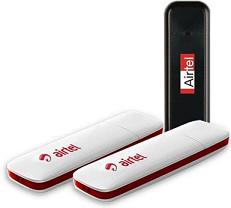
Easy Method To Unlock AIRTEL HUAWEI E1731 3G MODEM

Leave a Comment


News About How To Unlock Airtel Huawei E1731 USB Modem:


Follow The Below Steps To Unlock Your MODEM:

1.First Download UNIVERSAL MASTER CODE Generator From Here

2.After Downloaded Install This Software

3.Now Enter Your IMEI No. On The Software To Generate Your UNLOCK Code and Flash Code.

4.Now Insert Any SIM On Your USB Modem And Wait For 1 Min.

5.Now Install Dashboard Provided In Your USB Modem.and OPEN That.


6.After Opening It Will Ask To Enter UNLOCK Code Then Enter Your Generated Unlock Code On IT. That's IT.

You Have Successfully Unlocked Your Modem Now...

Read More...

Tuesday, February 19, 2013

How To Download Torrent Files With IDM!

Leave a Comment

I am going to post new technique that how to download your torrent files using IDM. IDM is a best download that provides maximum download speed by splitting the files into parts. IDM supports maximum 16 connection at a time. And you can download your torrent files more fast.

Advantages Of Downloading Using IDM


  • You can download torrent files with less seeds
  • You get maximum downloading speed
  • You can save your downloading time
  • Safe way to download file.


Follow the ways to Download with IDM


1.First go to Zbigz.com.

2.Signup for a free account there.

3.Then Go to any Torrent Search Engines.

4.Download One Torrent file into your computer.

5.Goto Zbigz and upload your torrent file

5.Then press Go

6.Click on free account and Again click free Press Go

7.After Upload you must get a Download link

8.Click on download button and Enjoy A Fast Download Using IDM


If you like my post please put a comment.
Read More...

Tuesday, January 29, 2013

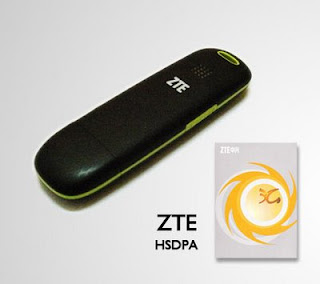
How to Unlock ZTE Modems

Leave a Comment
Unlocking modems had been a very great issue for some users, many still find it very difficult unlocking their modems, be it Hauwei modems or ZTE modems.
I was surprised recently when i was engaged in a discussions about modems coupled with questions such as
Which is modem is better?
Why its Hauwei modems better than ZTE modems?
Along the line someone suggested that the ZTE modem isn’t an option because it cants be unlocked.
Huh?!
This is the Kind of Dongle/ modem i use personally (Glo Netpro) and i am currently running my Airtel Internet subscription in it.
Due to this low exposure, i have decided to write out the simple steps on how to unlock ZTE modems. If you require how to unlock other modems like Hauwei Modems, See Here. I have given a detailed explanation on how to go about it there.

How To Easily Unlock Your ZTE modems

To unlock your ZTE modem, we will be making use of a universal Unlocking softwareknown as  DC Crap Modem Unlocker. This software has proven very effective because it has been used by many all over the world and testimony keep rising.
Here is how to use it:
1. First of all, Download DC Crap Modem Unlocker here
2. Remove your modem from your computer if you’ve plugged it already
3. Then install the software and launch it
3. Now take out your ZTE modem that you wish to unlock, and plug it in
4. Select from the list of Manufacturers, the maker of your modem, and the model, or rather use the auto select option to detect automatically for you.
5. After that, Tick ‘Read Unlock Code & Auto enter to Modem’
6. Click ‘Do Job’.
Wholla!!
Your unlock code has just been generated and your ZTE Internet Modem now unlocked.
unlock ZTE Glo Net Pro 300x217 How To Unlock ZTE Modems (Glo Netpro) Unlockd Glo Net Pro ZTE MODEM
Insert a new Sim card into your modem now like i have above, My Airtel Sim working in the previously locked GLO NETpro ZTE Modem!
Read More...

Easy Way To Unlock Huawei Modems

Leave a Comment

Have you ever been stucked with your hauwei modem? Or you just wish you could use another network apart from the one that came with  your modem?, well what you need is to unlock your modem,There are various ways in achieving this aim, ranging from the use of various softwares available over the net, and also the use of other some online tools,Personally ever since theres a  need for me to unlock modems, the method i use most is the online unlocking method which works very fast an accurate.
Nowadays i believe unlocking a modem shouldn’t be that hard, but i still find it amusing that some people still pay engineers to help them unlock their modems.
Well, if you are part of those who do not know how to unlock your Hauwei Modemssuch as the MTN Fastlink, Glo HSI, Etisalat and Zain 3G Modems, then this is a lucky post you have stumbled upon! Because you will definitely turn an engineer yourself.

How I Easily Unlock MTN Fastlink, Glo HSI, Etisalat and Zain 3G Modems

Here is how i do it just follow the steps
1) Launch your browser and go to http://a-zgsm.com/huawei.php
(2) You will then be required to input your IMEI Number. ( you should be able to get this on your modem)
(3) Insert the Security code that will be given to you right below the Enter IMEI.
(4) Then Click Calculator.unlock 300x147 Easy Way To Unlock Hauwei ModemsThen your Unlock code will be generated with a flash code. the flash code isn’t useful at all just copy out the Unlock code

How to use the code to unlock your modem:

Now to make use of this unlock code that you have generated, all you have to do is to
1.Remove the SIM CARD that came with the modem
2. Insert an unauthorized SIM Card ( a sim card of another network) into the Huawei Modem you intend to unlock. i.e if you are using MTN Fastlink, remove the MTN SIM in it and put in either Zain, Etisalat or Glo SIM)
3. After that, insert the modem into your computer, Then a small Dialogue Box will be displayed on your screen, not to worry thats what we need, then you would be prompt for the Modem’s Unlock Code.
4. Now enter the Unlock code you have generated.
5. Now your modem should be unlocked. You should now be able to use your Huawei USB modem with SIM Cards from any other operator not just the one you unlock with.
Normally, when ever a new Hauwei Modem is gotten, its always installed with a particular setting, which is of the network that comes with it, And once you modem is unlocked for you to use it , you will need to set up new configurations for the new network(s), so below i will be listing out the configuration of each of the  major networks here in Nigeria.

How To Configure Networks on Hauwei Modem

1. click open your Operator’s Modem Icon on the Desktop page ( this should pop out normally after inserting the modem)
2. Next, click “Tool” then “Option” then “Profile Management“. click on “New” then edit the profile name and input the name of the operator package you want to create. i.e
“MTN 3G”
3. Now click on ‘Static‘, then enter your APN ( access point), Username andPassword, leaving the Access Number as *99# ( this is general for all networks)
4.
For MTN
APN: web.gprs.mtnnigeria.net
Username: web
Password: web
For Glo
APN: gloflat
Username: flat
Password: flat
For Airtel
APN: internet.ng.zain.com
Username: internet
For Etisalat
APN: Etisalat
Username: wap
Password: wap
With this article i hope you are able to unlock your Hauwei modems now without the service of an engineer, In-case you have any problem doing this, feel free to let me know by making a comment below. And please do share!
Read More...

Online ZTE UNLOCK CODE Calculator

Leave a Comment

TRICKS WEB - ONLINE ZTE UNLOCK CODE CALCULATOR


MODEL SUPPORT : ZTE SFR 231, ZTE SFR 232, ZTE SFR 341, ZTE SFR 342, ZTE ORANGE VEGAS, ZTE VODAFONE INDIE, ZTE X760, ZTE X761, ZTE X960, ZTE GX760, ZTE GX761, ZTE T-Mobile Vairy Touch, ZTE G-N281
Vietnamese : Zik V8301 Viettel , V6202 Samsung chip .

If this page is useful, send it to your friends . Thanks


Enter IMEI:
Security Code: 

Read More...

How to Unlock Huawei USB modems [100% working]

Leave a Comment

It’s not difficult to look for unlocking service for Huawei USB 3G modem online. Most of the time however, these unlocking service comes with a small fee. Some forums do offer such service for free—but you would have to wait for the kind soul to respond to your request, and God knows how long they will take.
Huawei E1762

If you rather go for something that can unlock your Huawei modem within seconds for free instead, check out the following three unlock code generators.

Online Unlock Key Generator

On this site, getting your modem’s unlock code is as simple as entering your modem’s IMEI, enter the CAPTCHA code and click on the “Calculator” button.
Within seconds, it will return you with your modem’s unlock code and flash code.
Huawei modem unlock service
Supported Huawei modem models:
E1550, E155, E156, E156G, E160, E160G, E161, E166, E169, E169G, E170, E172, E176, E180, E182E, E196, E226, E270, E271, E272, E510, E612, E618, E620, E630, E630+, E660, E660A, E800, E870, E880, EG162, EG162G, EG602, EG602G

Universal MasterCode

As its name suggest, Universal MasterCode is capable of generating unlock codes for a wide range of device, which of course includes most of Huawei’s modem.
E156 E155, E1550 E1552, E156G E160, E160G E161 E166, E169 E169G, E170, E172, E176 E1762 E180 E182E E196 E226 E270, E800,E870 E880 EG162 E880 EG162 EG162G EG602 EG602G, E271, E272, E510 E612 E618 E630 ,E620 E630+ E660 E660a
Universal MasterCode
As you can see, the unlock code generated is the same as the one generated by the online unlock key generator above. There is no limit how many unlock codes you can generate, meaning as long as you have this generator on your computer, you can unlock as many modems as you wish.
No installation is required. Just download and start the application.
Download Universal MasterCode: MediaFire | RapidShare (243 KB)

Huawei Unlocker

Huawei Unlocker is another simple and straight forward free unlock code generator. Enter your modem’s IMEI, hit the “Unlock” button and consider yourself done. Again, no installation required.
Huawei Unlocker
Download Huawei Unlocker: MediaFire | RapidShare (196 KB)

Unlocking The Modem with The Unlock Code

To make use of the unlock code, insert an unauthorized sim card to your Huawei modem. Unauthorized sim card meaning sim card from any operators other than the one the modem is currently locked to.
When you do so, you would be prompt for the modem’s unlock code. Just enter the unlock code you have received earlier and voila, you can now use your Huawei USB modem with sim cards from any other operator.
I have tested it on my E1762 and it worked perfectly.
Huawei Modem Code Writer Tool
If your modem doesn’t prompt for the unlock code even after you have inserted an unauthorized sim, you can use any of these two code writer tools:
Download Huawei Modem Code Writer: MediaFire | RapidShare
OR
Download Huawei Code Tool: MediaFire | RapidShare
[Tricks Web]>> shall not be liable for any loss or damage caused by the following the guide above. Unlock at your own risk.
Read More...

How to Unlocked (remove) memory card password protected

Leave a Comment

How to Unlock Memory Card Password Protected? Password forgetting is the usual thing happen for us or it will happen to our close people or some other friends. We will memorize password in our mind before we go to enter the password in memory card but we will forget it while we go to re-enter the password to unlock our memory card. Just imagine if you saving lot of important personal details, photos, videos inside the memory card but you forget the memory card password what you will do? You cannot sleep properly before unlock the memory card. One of my friend suffered with the same problem he came to me and told that he forgot his memory card password and told his lot of personal photos, other files inside the memory card so please help me to unlock it. He not only told me to unlock it and he put the condition that don't format or erase the data inside it.

Really at that time i don't know how to unlock memory card i started gathering more tricks using Google search to unlock it. I got two tricks from Google but it is not working properly then i started gathering information from one of my friend's cell shop. He gave me some best tricks to unlock memory card password protected and i tried those memory card password unlocking tricks and it worked for me to unlock my friend memory card. You may also forget your own memory card password don't worry you no need to go any service centers or some other mobile shops to unlock it. Here am sharing the ultimate password unlocking trick for you to unlock your memory card.

Follow the steps which is given below to unlock your memory card.

Step 1: First of all you have to download Fexplorer  mobile application to explore your memory card. You can download this mobile application from here: Fexplorer
Step 2: After installing this Fexplorer mobile application in your mobile then you have to run the application and go to the location C:\System

Step 3: After going to the location C:\System you can able to find mmcstore file then you have to immediately rename this file to the text format mmcstore.txt

Step 4: That's all you are done now you are ready to see your password which you entered in your memory card.

Step 5: Just copy the file which you renamed using Fexplorer mobile application mmcstore.txt to your personal computer or desktop.

Step 6: Then you have to open the file mmcstore.txt using notepad in your personal computer.

Now you can see your memory card password in the notepad application. I think this article about how to unlock memory card password protected will help you more to unlock your memory card start using this.
Read More...

Get fresh content daily undefinedit’s free)

subscribe

Get all Blogging Secret Revealed Direct to Your Inbox. Join Thousands of
People. We Do Not Spam! Your Privacy and Email Address are Safe With Us!